Clear your Mac desktop without deleting anything
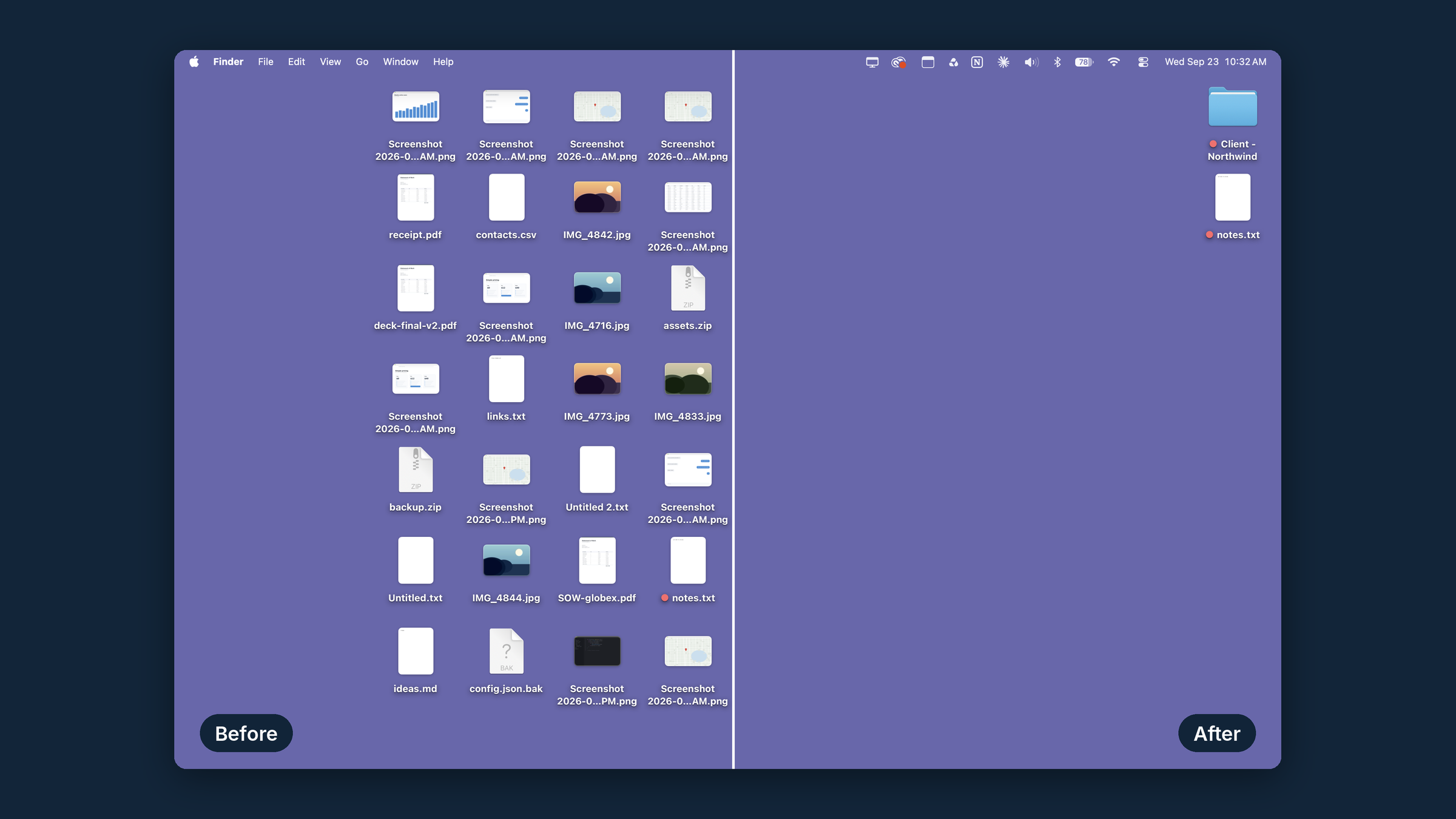
Clean Desktop moves the files off your desktop into a folder you choose, sorted into folders by month. One click, or automatically every day. Nothing is deleted, and one click puts it all back.
Free. No account, no ads, no analytics, and nothing about you or your files leaves your Mac. macOS 14 or later. Apple silicon and Intel. 1.3 MB.
Why is Clean Desktop free?
Because I built it for myself. I'm Dave Poortvliet, an independent developer. I wanted an app that would quietly clear my desktop every night without deleting anything, so I made one, and it seemed a shame not to share it.
Free apps are right to make people suspicious, so here is the whole story. Clean Desktop has no account, no ads, no analytics and no paid upgrade waiting behind it. It never sends anything about you or your files anywhere. The only time it touches the internet is to check this site for a newer version, and you can turn that off. The privacy page lists exactly what it does.
If it saves you some time, a tip is appreciated. It is entirely optional and unlocks nothing, because nothing is locked.
How Clean Desktop works
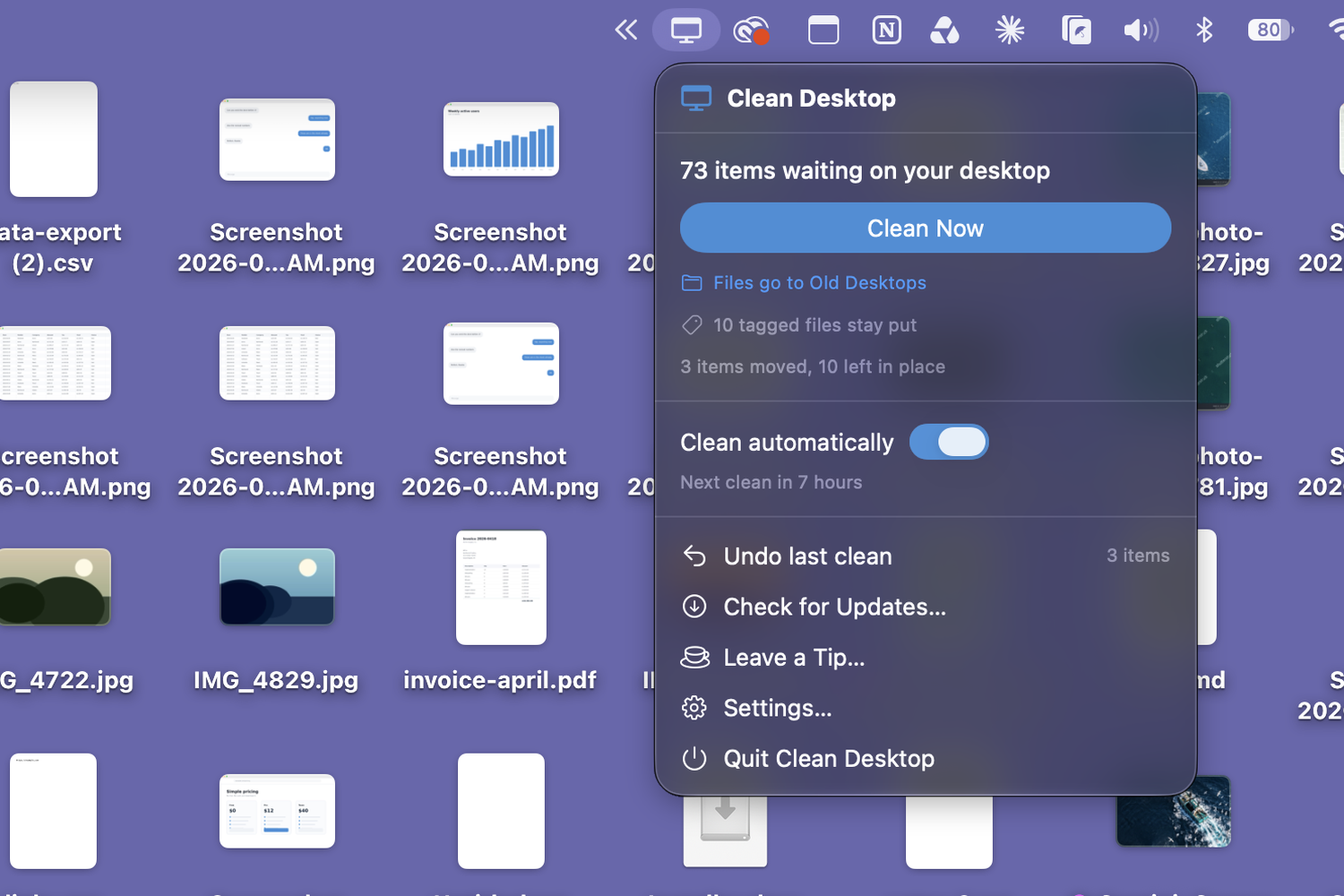
Clean Desktop is a macOS menu bar app. It has no Dock icon and no window to manage. Click the monitor icon in your menu bar and press Clean Now, or turn on automatic cleaning and never think about it again.
Every file on your desktop is moved into an archive folder you pick, inside a folder named for the month the file was created. A screenshot from March lands in 2026-03 March even if you clean it in September. You can switch to day folders instead, or sort by the date the file was last changed.
Nothing is ever deleted
Clean Desktop only ever moves your files. If two files share a name, the incoming one is renamed rather than overwriting what is already there. The one thing it removes is a month folder left empty after an undo, and that goes to the Trash.
Every clean can be undone
One click puts every file back where it came from. If something new is sitting there under the same name, the returning file is numbered rather than overwriting it. The last 60 cleans are logged, so you can see what moved and when.
Tag a file to keep it
Give a file any Finder tag, a colour dot or a name, and Clean Desktop walks past it. No exclusion list to maintain, and the marker is visible on the file itself.
Leave recent work alone
Optionally keep anything from the last day, three days or week on the desktop, so a clean never interrupts what you are in the middle of.
Set it once and stop thinking about it
Turn on automatic cleaning and choose daily or weekly, and a time. Clean Desktop runs quietly in the background and tells you afterwards how many files it moved. If your Mac was asleep when a clean was due, it runs as soon as you wake it rather than skipping the day.
Settings worth knowing about
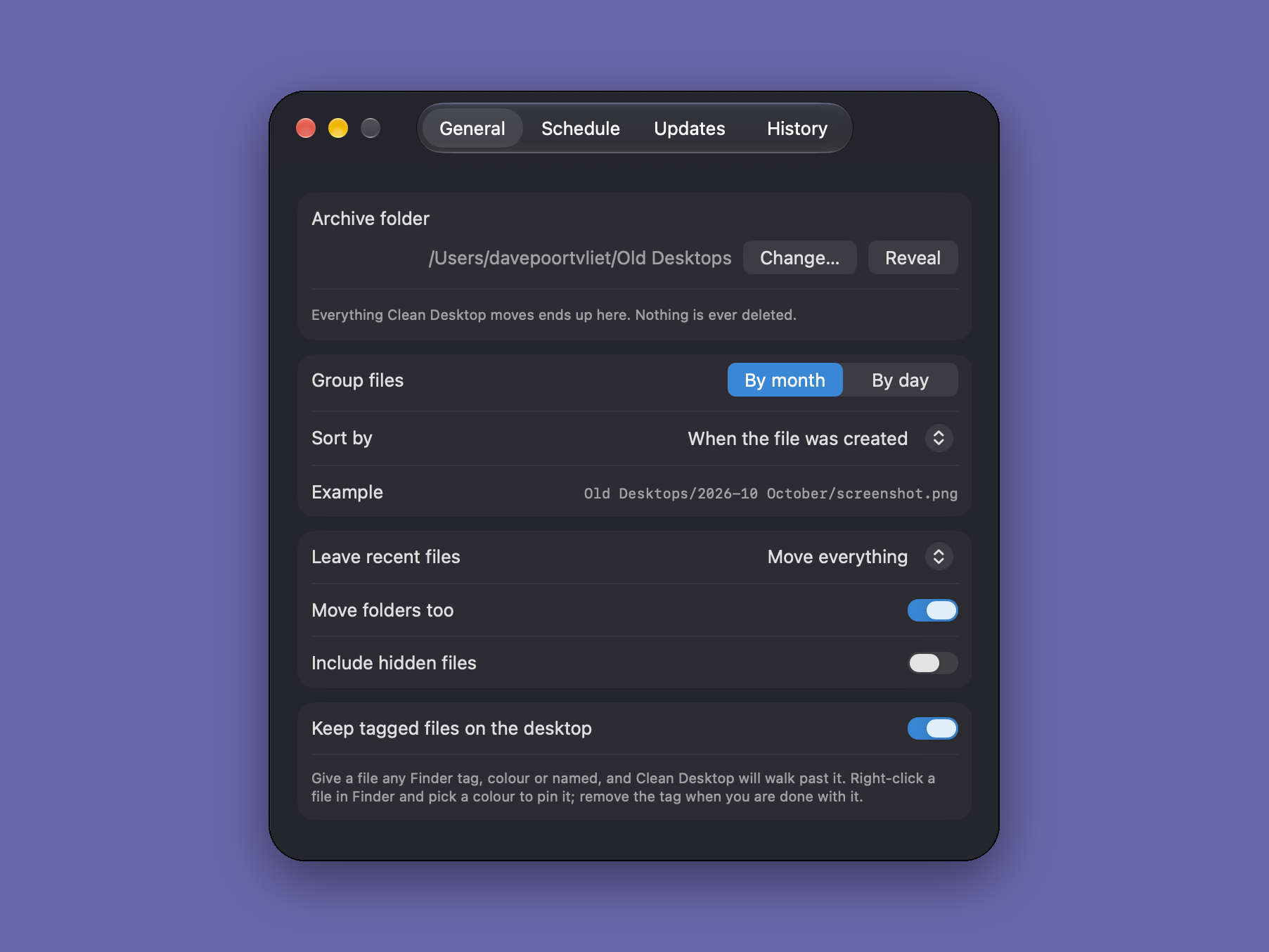
| Archive folder | Any folder you choose. Defaults to Documents › Desktop Archive. |
|---|---|
| Grouping | By month (2026-03 March) or by day (2026-03-14). |
| Sort by | When the file was created, when it was last changed, or when the desktop was cleaned. |
| Schedule | Off, daily, or weekly, at a time you set. |
| Leave recent files | Move everything, or keep the last 1, 3 or 7 days. |
| Folders | Moved along with files, or left in place. |
| Tagged files | Always left on the desktop, unless you turn that off. |
What it costs
Free no trial, no licence key, no catch
Clean Desktop is free to download and free to use on every Mac you own. Every feature works, nothing expires, and updates are free.
If it saves you some time, you can leave a tip. Tips are optional and unlock nothing, because nothing is locked.
Requirements and privacy
| macOS | 14.0 or later |
|---|---|
| Processor | Apple silicon and Intel (universal) |
| Download size | 1.3 MB |
| Signing | Signed with a Developer ID certificate and notarized by Apple |
| Account required | No |
| Data collected | None. See the privacy page. |
The first time you clean, macOS asks whether Clean Desktop can access your Desktop folder. That prompt comes from macOS, not from us, and the app cannot move anything without it.